
Can a Flight Simulator Help You Learn to Fly?

A flight simulator for pilot training is one of the best tools a student can own, as long as you use it for the right jobs: checklists, radio calls, airport layouts, instrument scans and emergency flows. Time on a home PC does not count toward any FAA certificate, but time in an FAA-approved training device with an instructor does, within strict limits. Neither replaces the airplane when it comes to the feel of a landing.
Home sims are good for procedures, radio and flows
Most of what slows down a new student is not hand-flying skill. It is task saturation: too many things to remember at once while the airplane keeps moving. A sim at home attacks that directly:
- Checklists and flows. Run the before-start, run-up and before-landing checks until they become a sequence your hands know.
- Radio work. Practice calls to ground, tower and approach out loud. Free online networks such as VATSIM add live volunteer controllers.
- Airport familiarization. Fly the pattern at your home field and the airports on your cross-country route before you see them for real.
- Instrument scan. Holding a heading, an altitude and an airspeed together is pure repetition, and a sim gives it to you for free.
- Emergency procedures. Engine failure after departure, electrical failure, a door popping open: rehearsing the memory items is cheap at a desk.
Use the same aircraft you train in, with the same numbers. In a Cessna 172S that means rotating at 55 knots, best angle at 62, best rate at 74 and best glide at 68. When the sim’s airspeed tape and your school’s checklist agree, every repetition at home reinforces the lesson.
FAA-approved devices: BATD, AATD, FTD and full simulators
The FAA recognizes a ladder of devices. From the bottom up:
| Device | What it is | Typical location |
|---|---|---|
| Basic aviation training device (BATD) | Desktop or small cockpit with approved software and controls | Flight schools, some home buyers |
| Advanced aviation training device (AATD) | Enclosed cockpit, more realistic controls and systems | Flight schools, universities |
| Flight training device (FTD) | Replica cockpit of a specific aircraft | Training centers, airlines |
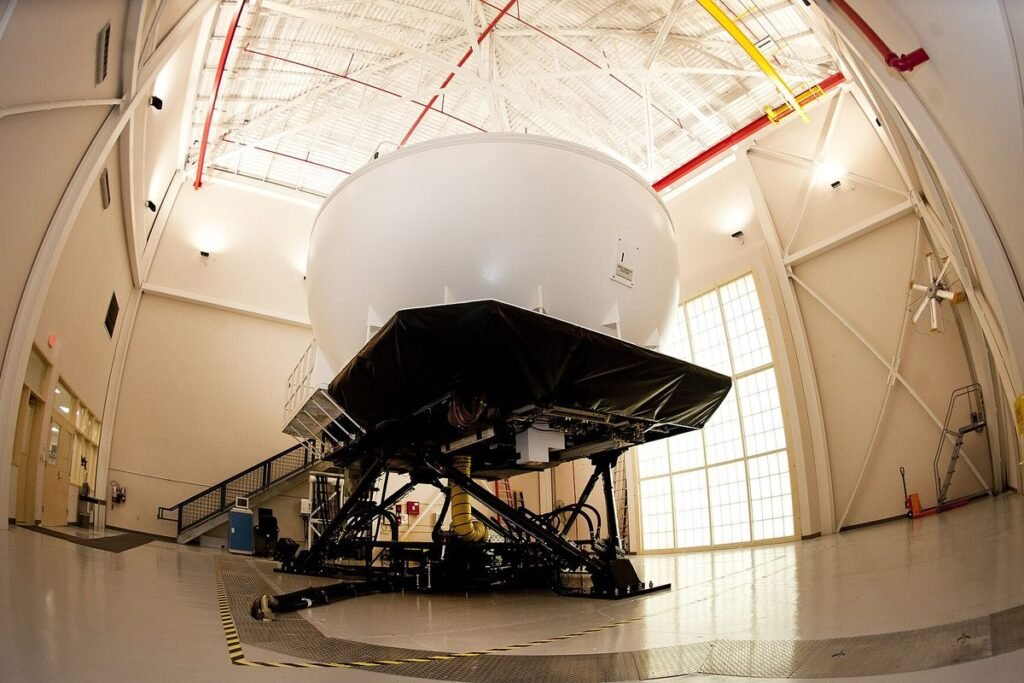
| Full flight simulator (FFS) | Motion-based replica of a specific type | Airline and Part 142 training centers |
BATDs and AATDs receive a letter of authorization from the FAA that lists exactly what time they can be credited toward. Many run commercial sim software under the hood; AOPA has reported on X-Plane 12 powering an FAA-approved BATD. The software alone does not make it approved. The approved hardware configuration, the letter and an authorized instructor do.
Loggable time: the hour limits
The numbers come from 14 CFR Part 61:
- Private pilot, airplane (61.109(k)): up to 2.5 hours of training in a full flight simulator or flight training device can count toward the 40-hour minimum, if an authorized instructor gives it. The limit rises to 5 hours in a course run by a Part 142 training center.
- Instrument rating (61.65(i) and (j)): up to 10 hours of instrument time in an approved basic ATD, or up to 20 hours in an approved advanced ATD, with an authorized instructor. Total device time, all types combined, is capped at 20 hours outside Part 142 courses, where full simulators and FTDs can count for up to 30.
- Instrument currency (61.57(c)): the six approaches, holding and course tracking required every six calendar months can be flown in an ATD, an FTD, a full simulator, an airplane, or any combination.
That last rule is the one many instrument-rated pilots use most. A one-hour session in a school’s AATD keeps you legal for IFR without burning avgas, and you can log it in your logbook as long as the device is approved and the tasks are flown in simulated instrument conditions.
The efficiency is hard to beat. An hour in an AATD with an instructor fits six approaches with resets between them, while the same six in a Cessna can take two hours or more once you add taxi, climb-out and the transit between airports. I have done approach work both ways, and the device hour leaves me far more mentally tired, which says something about how much training it packs in.
Home PC hours on paper: zero, and that is fine
A PC running MSFS 2024 or X-Plane on your desk, even with a good yoke, is not an FAA-approved device unless you bought a specific approved package and use it under an instructor. That time goes in a personal notebook, not your official records. Its value is in how much faster your paid hours go.
A common pattern among instructors: if a student arrives knowing the checklist, the radio calls and the pattern layout, the lesson can focus on flying the airplane. With the cost of an hour in a rental and an instructor, even a couple of saved hours over a private pilot license more than pays for a decent home setup.
Limits: feel, the flare and outside references
Sims stay honest about instruments and procedures. They lie about physical sensation:
- No seat-of-the-pants cues. You never feel the airplane yaw or the G-load in a steep turn, so you never learn to sense a skid.
- The flare. Judging the last 10 feet over the runway depends on depth perception and peripheral vision. A flat monitor removes both. VR helps but is still not the real picture.
- Control forces. A desktop yoke has springs, not aerodynamic loads that change with airspeed. Trim feel and flare forces are different.
- Looking outside. Sim pilots tend to stare at the panel. In a real Cessna, most VFR flying is outside the window, with quick glances inside.
Sims also make weather too predictable. Real gusts arrive at the worst moment, and a real crosswind shifts as you descend through the last few hundred feet. Most sims offer gust and wind-shear settings, and turning them on is worth it once the basic pattern feels easy.
The fix for the panel-staring habit is deliberate: in the sim, practice flying the pattern by looking outside at the horizon and the runway, checking instruments only on a schedule.
How students use a sim between lessons
A routine that works for a student pilot in the private pilot phase:
- Night after a lesson: fly the same maneuvers again while they are fresh. Steep turns at 45 degrees of bank, slow flight, power-off stalls, ground reference patterns.
- Before the next lesson: preview what comes next. If it is the first cross-country, fly the route with the same checkpoints, frequencies and altitudes.
- Before the first solo: run the traffic pattern with radio calls out loud, a dozen times, at your own field.
- Instrument training: fly the published approaches at your home airport and a nearby one, with the real charts and the same avionics your training aircraft has.
Ask your instructor what to practice. Many will hand you a short list after each lesson once they know you have a sim at home, and some schools rent their AATD at a lower hourly rate than an airplane for exactly this kind of work.
I would still put a decent yoke ahead of a fancy monitor for a student. Hands that know where the trim wheel is matter more than a sharp image of the panel.
FAQ
Does flight simulator time count toward a pilot license?
Only time in an FAA-approved device with an authorized instructor counts, within limits set in Part 61. For a private pilot airplane certificate, up to 2.5 hours in a full flight simulator or flight training device can be credited. Home PC sims do not count.
How many simulator hours count toward an instrument rating?
Up to 10 hours in an approved basic aviation training device or up to 20 hours in an advanced one, with an instructor. Total device time is capped at 20 hours outside Part 142 courses.
Can you stay instrument current in a simulator?
Yes. The six approaches, holding and course tracking required every six calendar months can be flown in an FAA-approved ATD, FTD or full flight simulator, or combined with flights in the airplane.
Is Microsoft Flight Simulator good for student pilots?
It is useful for learning procedures, airport layouts, radio calls and basic instrument scans, especially with a yoke and the same aircraft type you train in. It cannot teach the feel of the controls or the landing flare, and the time is not loggable.
Keep exploring
- Flight SimulatorsFree Flight Simulators You Can Fly Today
- Flight SimulatorsFlight Sim Setup: Yokes
- Flight SimulatorsBest Flight Simulators for PC in 2026
- Air TravelFlight Delayed or Canceled? Your Refund Rights in the US
- Aviation CareersHow to Become an Air Traffic Controller
- Aviation News & MediaBest Aviation Podcasts for Pilots and Fans
- Flight TrackingFlightradar24 vs FlightAware: Which Tracker Fits You?